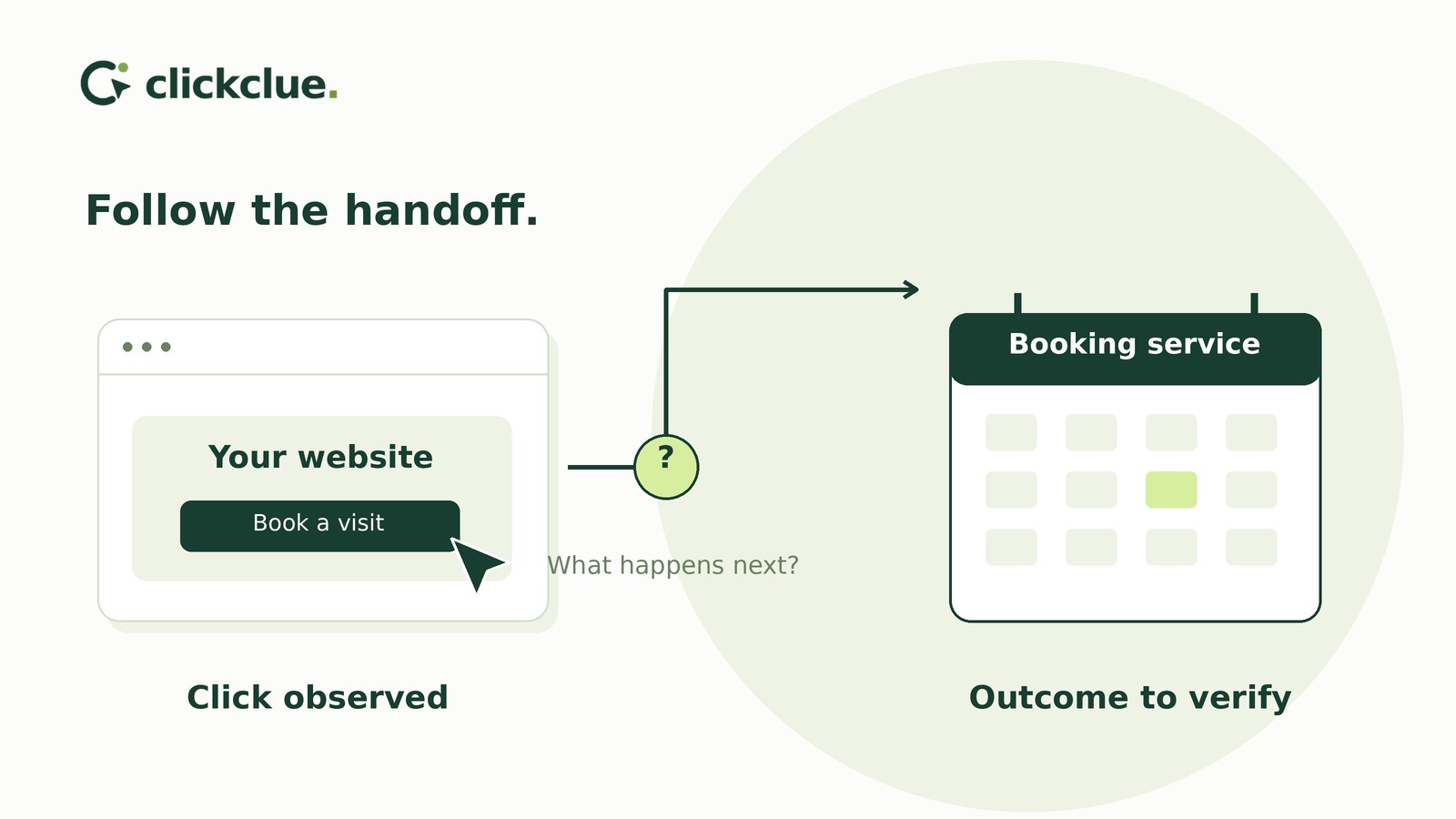
When booking happens on another website, an onsite exit does not prove a failed booking. Start by activating the published booking button in signed-out mobile and desktop browsers. Compare its destination with the provider’s current public link for the advertised service and location.
Record link activation, scheduler arrival and confirmed booking separately. Evidence for one does not establish the next.
Decide which side should investigate
After testing both the published button and the provider’s current public link, choose a next step:
- Current public link works directly, but the button fails or reaches the wrong destination: Assign the website maintainer a link or navigation repair.
- Current public link also fails directly: Ask the scheduler account owner to investigate with your test details and involve the provider if needed. This does not establish a provider outage.
- Button reaches the intended booking step: Record “no handoff fault reproduced.” Leave booking outcomes unmeasured unless separately verified.
This separates a website repair from a provider-side investigation without treating an unexplained exit as a fault.
Define what each side can verify
Build an evidence map before interpreting reports:
- Link activation: An onsite interaction record, if available, may show activation of the booking control. Check its event definition and coverage. A click does not prove navigation succeeded.
- Scheduler arrival: A controlled browser test establishes which destination opened during that test. Live visitor arrival evidence would need to come from provider-side reporting, if available.
- Confirmed booking: Authorised provider records can verify a booking’s status. An onsite exit cannot do that.
Without a reliable, authorised connection between records, do not attribute a booking—or its absence—to a particular onsite visit.
Inspect the published route
Open the published page while signed out of WordPress and the scheduler. An editor preview or scheduler administrator session is not a substitute.
Inspect the control’s destination using the browser’s link tools. If a script handles navigation, ask the website maintainer to identify its configured target. Compare it with the provider’s current public booking link, not an administrator dashboard or private booking-management URL.
Activate the control on a real phone and a desktop browser with normal protections enabled. Record the time and time zone, device/browser, starting page, configured link, final destination and next reachable booking step.
Check service, location and duration after redirects—not merely whether a page loads. Note tab behaviour and any error, login requirement or navigation block. Keep customer details and private tokens out of shared notes.
Test completion only through a safe route
Ask which testing method the provider supports before submitting anything.
Where a provider-supported test environment or test-booking mode exists, use synthetic details and contact information you control. Check whether testing can trigger payments, notifications, calendar holds or other downstream actions, and agree on cleanup first. A sandbox result applies to that environment, not automatically to the live route.
If no safe, authorised method is available, stop before submission and mark completion untested. Do not create a real appointment merely to finish the investigation.
Worked example: repair a wrong destination
Consider a hypothetical bike-fitting business advertising a 60-minute fitting at its Riverside workshop. Its onsite report shows some visits ending on the service page. The owner investigates one booking button.
These labels stand for fictional public URLs. In your own sheet, use the actual safe public URLs:
- Site: Published WordPress bike-fitting page.
- Old: Outdated public scheduler shortcut configured on the button.
- Town: Town Centre workshop’s 60-minute fitting page.
- River: Current public Riverside 60-minute fitting link and page.
Test conditions: Fictional date of 6 May 2026; all times UTC. Every run is signed out of both services, with normal browser protections enabled. All open in the same tab without errors or login barriers. No booking is submitted.
Initial button tests
Both runs start on Site and activate its published button, configured to use Old.
09:00 UTC — Windows laptop, Chrome: Final destination: Town. Next booking step: reachable, but for the wrong workshop.
09:05 UTC — Android phone, Chrome: Final destination: Town. Next booking step: reachable, but for the wrong workshop.
Direct-link checks
The authorised scheduler account owner supplies River as the correct current public link. Both checks open it directly from the browser address bar.
09:10 UTC — Windows laptop, Chrome: Final destination: River. Next booking step: reachable for the intended service and location.
09:15 UTC — Android phone, Chrome: Final destination: River. Next booking step: reachable for the intended service and location.
Repair and published-button retest
The website editor replaces Old with River and clears the relevant page and CDN caches in use. Both retests start on Site and activate the published button rather than opening River directly.
09:30 UTC — Windows laptop, Chrome: Final destination: River. Next booking step: reachable for the intended service and location.
09:35 UTC — Android phone, Chrome: Final destination: River. Next booking step: reachable for the intended service and location.
Other evidence inspected: The onsite report showed service-page exits; activation events were not checked. The account owner verified the current public link. Provider arrival reporting was unavailable, and booking records were not checked. No safe completion test had been arranged.
Close the repair without closing the evidence gap
The fictional investigation ends with three separate statuses:
- Destination mismatch: closed. Both published-button retests reach the agreed service and location.
- Booking completion: untested. The investigation stopped before submission.
- Individual live visitor outcomes: unknown. Successful controlled tests do not establish what earlier visitors did.
Do not divide unmatched provider booking totals by onsite clicks to invent an abandonment rate. Those totals may include different channels and repeat attempts.
In your investigation sheet, keep the intended service, location and duration beside the test results. Add the evidence available on each side, unresolved outcomes, responsible owner and closure status so the next person knows what is established and what remains open.
Start with one signed-out phone test. Record the public starting URL, time, browser, configured link, final destination and next reachable step; then repeat on desktop.