CLICKCLUE PRO · THE ADD-ON FOR DEEPER INVESTIGATION
Follow a useful clue across more visits.
Free helps you review an individual visit. Pro helps you find repeated patterns, understand page and form activity, and work through the evidence with your team.
The same Pro tools in every plan. Choose coverage for 1, 5 or 25 WordPress sites.
FREE
Keep your recording foundation.
Session replay, filters, bookmarks, notes, consent and masking are already in Free. Pro adds ways to investigate across recordings. Both editions have no monthly recording quota.
Choose the tools that help answer your next question.
01
Find patterns worth investigating.
Is that confusing moment appearing in other visits?
Review grouped clues and open the recording behind an observation.
Follow journeys and build page or interaction funnels.
Save investigations and compare separate date ranges after a change.
02
See pages and forms in context.
Do visitors reach the information and controls they need?
Explore recorded click positions and scroll reach on matching page layouts.
Review form focus, validation and submit observations without entered values.
Ask optional, consented rating or fixed-choice questions alongside recordings.
03
Keep the review moving.
Give colleagues the evidence and a clear next step.
Use review roles, follow-up assignments and expiring replay invitations.
Check connected-site recording health and prepare client CSV reports.
Schedule review reports and export permitted recordings or reports.
These tools describe eligible, sampled recordings retained on your site. Recording mode, opt-outs and exclusions affect coverage. Current Free excludes cart and checkout by default; deliberate inclusion requires full page-text masking. Optional feedback and linked checkout signals still require visitor consent. Observations are leads to investigate, not proof of a defect or a lost sale.
INSIDE CLICKCLUE PRO 1.2.4
Start with a question. Open the evidence.
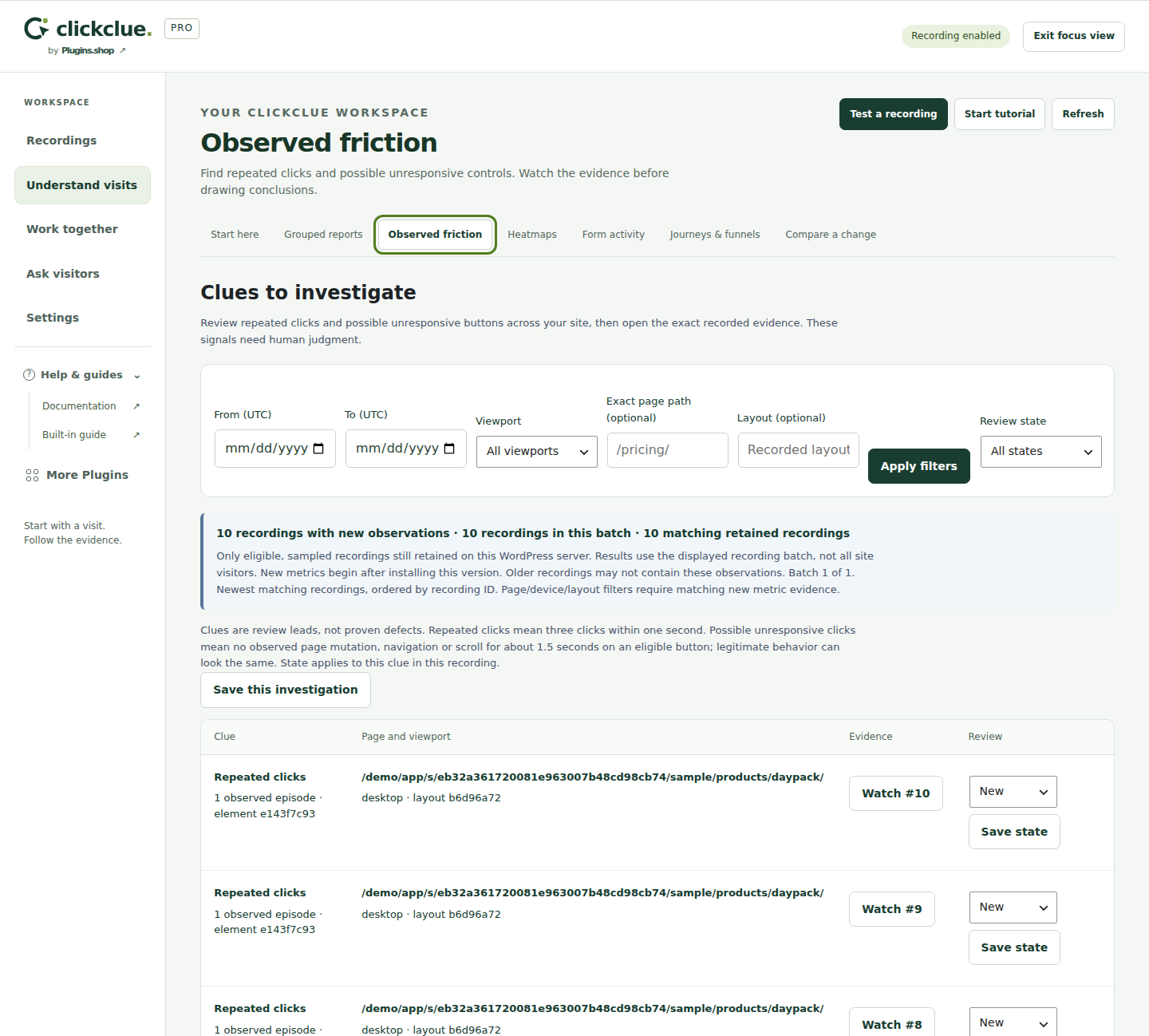
The clues workspace helps you narrow the recordings to review and save an investigation you can return to.
Choose the page, date range and viewport to investigate.
Review an observation and open its recorded context.
Save the investigation and decide what to check next.
Both editions store recordings on your WordPress server and have no monthly recording quota. Your hosting, sampling, retention and storage budget determine what you keep. WooCommerce is optional.
After a first valid activation, earned local Pro tools and retained recordings remain usable when an annual subscription expires. An active plan is required for eligible updates and direct support. Read the plan terms.
More control for ongoing reviews
Pro also includes saved investigation workflows, report branding, rolling report dates and configuration duplication. Optional feedback campaigns support conditional questions, schedules and frequency controls. Connected sites must be deliberately authorised; their recordings remain on their own WordPress server. Recording and report exports depend on your permissions.