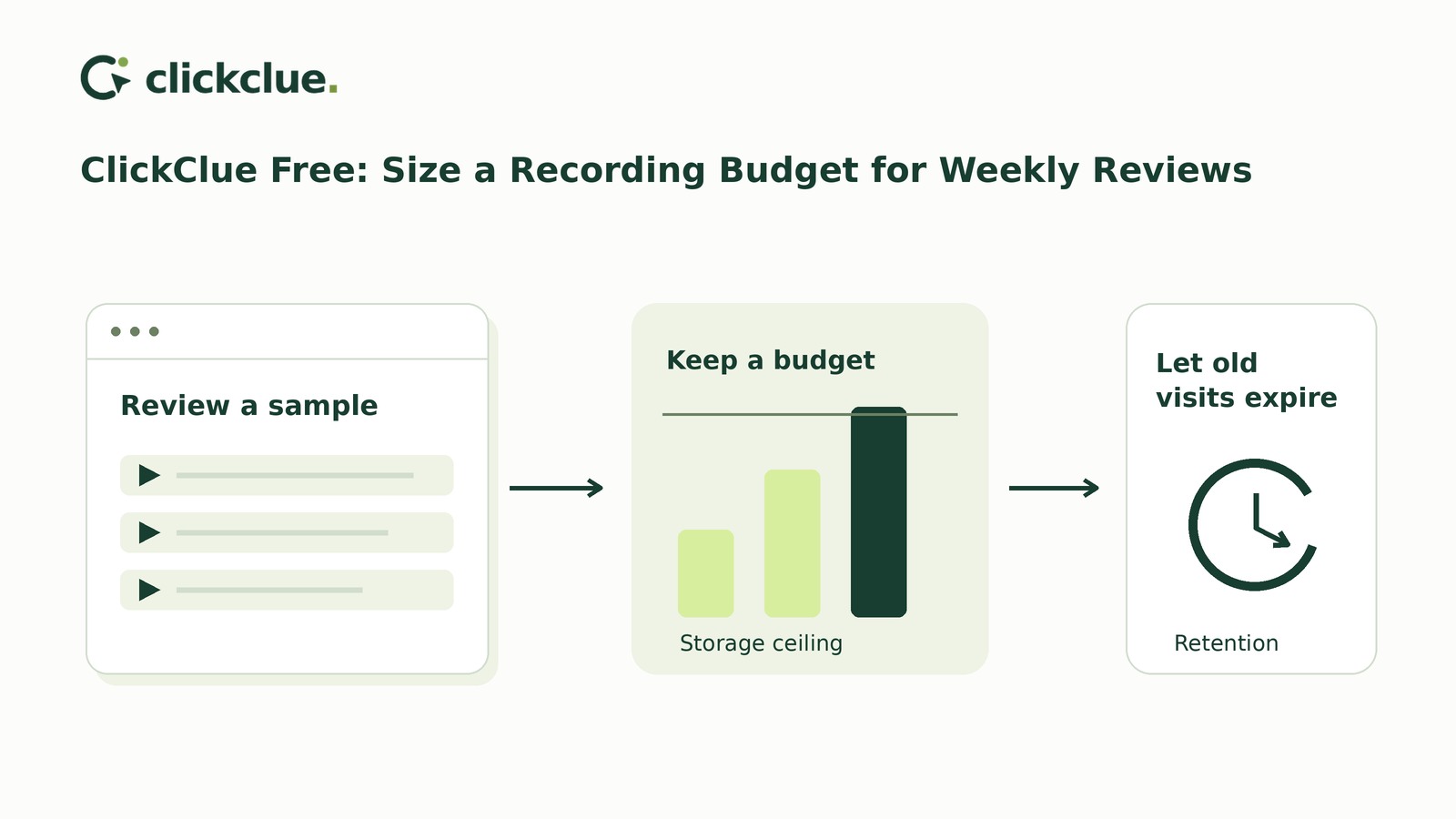
For weekly replay reviews, choose retention from your review interval plus a justified delay allowance. Then check both estimated recording data across that window and remaining space until your next capacity check. Longer retention cannot prevent capture from pausing when storage fills.
ClickClue Free supplies the necessary controls; Pro is not required. The aim is to keep useful evidence available within a host-approved budget—not to retain every visit.
Build the weekly-review worksheet
Start with administrator access, tested consent and masking, hosting-capacity information and a justified retention purpose. Keep the following worksheet in a spreadsheet or note; it is a manual planning aid, not a plugin-generated report.
Payload means recording data counted against the plugin's storage budget. MiB is a storage unit equal to 1,048,576 bytes.
- Review schedule: Reviewer, interval between reviews and next review date.
- Retention purpose: Justified days, including review delay and any timing buffer.
- Host-approved capacity: Payload ceiling in MiB, approval date and separate allowance for database indexes, backups and hosting logs.
- Volume inputs: Estimated eligible, consenting tabs per day, sampling percentage and planning size per recording, with dated sources.
- Capacity comparison: Estimated retention-window payload, current occupied payload and remaining space.
- Saved decision: Retention, sampling, payload budget and date saved.
- Verification appointment: Check date, owner, measured results and next action.
Calculate window demand and immediate headroom separately
In Settings & privacy, inspect recent actual-site recording sizes. Consider whether those recordings reflect the pages and visits you are investigating. Document the observation date and why you chose that provisional planning size.
If measurements are sparse, use a short collection period within hosting limits and approved privacy settings, with an early capacity check. Do not assume a universal size per recording.
For your worksheet, use this calculation:
Eligible, consenting tabs per day × sampling rate × retention days × planning MiB per recording = estimated window payload in MiB.
Use 0.05 for a 5% sampling rate. The estimate assumes reasonably stable activity and timely cleanup; total website traffic is not the same as eligible, consenting tabs.
A hypothetical completed calculation
Suppose a fictional worksheet dated 6 July 2026 records:
- Weekly reviews, a justified two-day delay allowance and one-day timing buffer: 10-day retention.
- 400 eligible, consenting tabs per day.
- A provisional 0.8 MiB per recording, from the fictional site's measured sizes.
- A host-approved 250 MiB payload budget, with hosting overhead considered separately.
At 10% sampling, that suggests roughly 40 starts daily, or 400 across ten days: 320 MiB, exceeding the budget.
At 5%, the estimate becomes 200 starts across ten days: 160 MiB. That fits provisionally, but does not settle today's capacity decision.
Capacity comparison: Existing recordings occupy 220 MiB, leaving 30 MiB. At 5% sampling, two days suggest roughly 40 new starts and 32 MiB of new payload. Assuming no cleanup during those days, waiting until 8 July risks filling the budget first.
Saved decision: Provisionally choose 5% sampling and ten-day retention, keeping the approved 250 MiB ceiling.
Verification appointment: Bring the capacity check forward to 7 July. The one-day estimate is 16 MiB, but growth in existing recordings or changing activity could require earlier action.
Do not add all existing occupancy to the full-window estimate: existing recordings may expire within that window. Check immediate free space separately.
These figures are illustrative, not recommended settings or capture guarantees. Lower sampling can miss uncommon problems.
Save settings with the consequential limits in view
Review sampling, retention and payload budget together in Settings & privacy. Save the chosen values and record them in your worksheet.
Neither Free nor Pro has a monthly recording quota. Pro does not allocate hosting space. Check host-level capacity separately from the payload budget.
Two changes need particular care:
- Increasing retention does not extend existing recordings' deletion deadlines. It cannot recover deleted recordings.
- Lowering the payload budget does not delete recordings. Capture stays paused while the budget is full.
Retention changes require fresh positive replay consent. Review your notice and the consent and masking guidance. This plan does not replace site-specific privacy review or establish legal compliance.
Verify capture, then replace estimates with measurements
Use the first-recording guide to verify capture with a signed-out synthetic visit; signed-in users, including administrators, are excluded. Inspect upload confirmation, masking and playback. If temporarily using 100% sampling, restore your intended rate afterward.
A synthetic visit tests capture, not typical recording size. Refine the plan using measurements from actual site activity under your approved settings.
At the dated capacity check, record recent sizes and the estimated number of additional recordings that may fit. The plugin uses up to 200 recent recordings with no upload in the last minute. Those recordings can resume and grow; a small sample remains provisional.
Update your dated inputs and repeat the window calculation. Separately compare remaining capacity with expected new starts before the next check. Inspect recording health and host-level database usage too.
The storage and retention guide explains the controls and estimate boundaries. Payload estimates do not measure all hosting overhead or guarantee performance.
Decide whether to keep or change the plan
Missing recordings alone do not identify a cause. Check capture state, consent, sampling and health before blaming expiry or capacity.
- Keep settings: Retention covers the justified schedule, estimated window demand fits, and remaining capacity covers expected arrivals until the next check with room for uncertainty. Record that check date.
- Recordings expire before review: Review sooner, arrange reviewer cover or justify longer retention. Recalculate demand before extending it.
- The budget is filling: Reduce future sampling and address occupied space through appropriate deletion or retention cleanup. Lower sampling alone frees no stored payload. Seek host approval before increasing capacity.
- Cleanup is failing: Investigate health warnings and WordPress cron. Low-traffic sites may need a reliable cron trigger; do not assume cleanup has run.
Coverage remains limited to consenting, sampled and retained recordings. Exports and backups need separate retention handling.
Finish by recording the saved settings and assigning the next capacity check. Schedule it before any projected shortfall—not automatically at the next weekly replay review.