Review one journey
Follow page paths within a recording. Open the replay to inspect what happened between two pages, including a control or piece of information that needed attention.
 by Plugins.shop Get ClickClue Free
CLICKCLUE PRO · JOURNEYS & FUNNELS
Look at the route through a retained visit: the pages reached, the steps observed and the recording behind a clue. Build an investigation around a specific path instead of treating every exit as the same problem.
Journeys, funnels and date comparisons require Pro. They describe eligible recordings retained on your site, not every visitor.
Follow page paths within a recording. Open the replay to inspect what happened between two pages, including a control or piece of information that needed attention.
Save a sequence of page paths, clues or form observations. Use a recorded layout when structural field positions matter, and check which eligible visits reached each step.
Choose separate periods, keep relevant device and layout scope, and examine the denominators. Different rates are a reason to investigate, not automatic evidence that the edit worked.
START WITH THE RETAINED SAMPLE
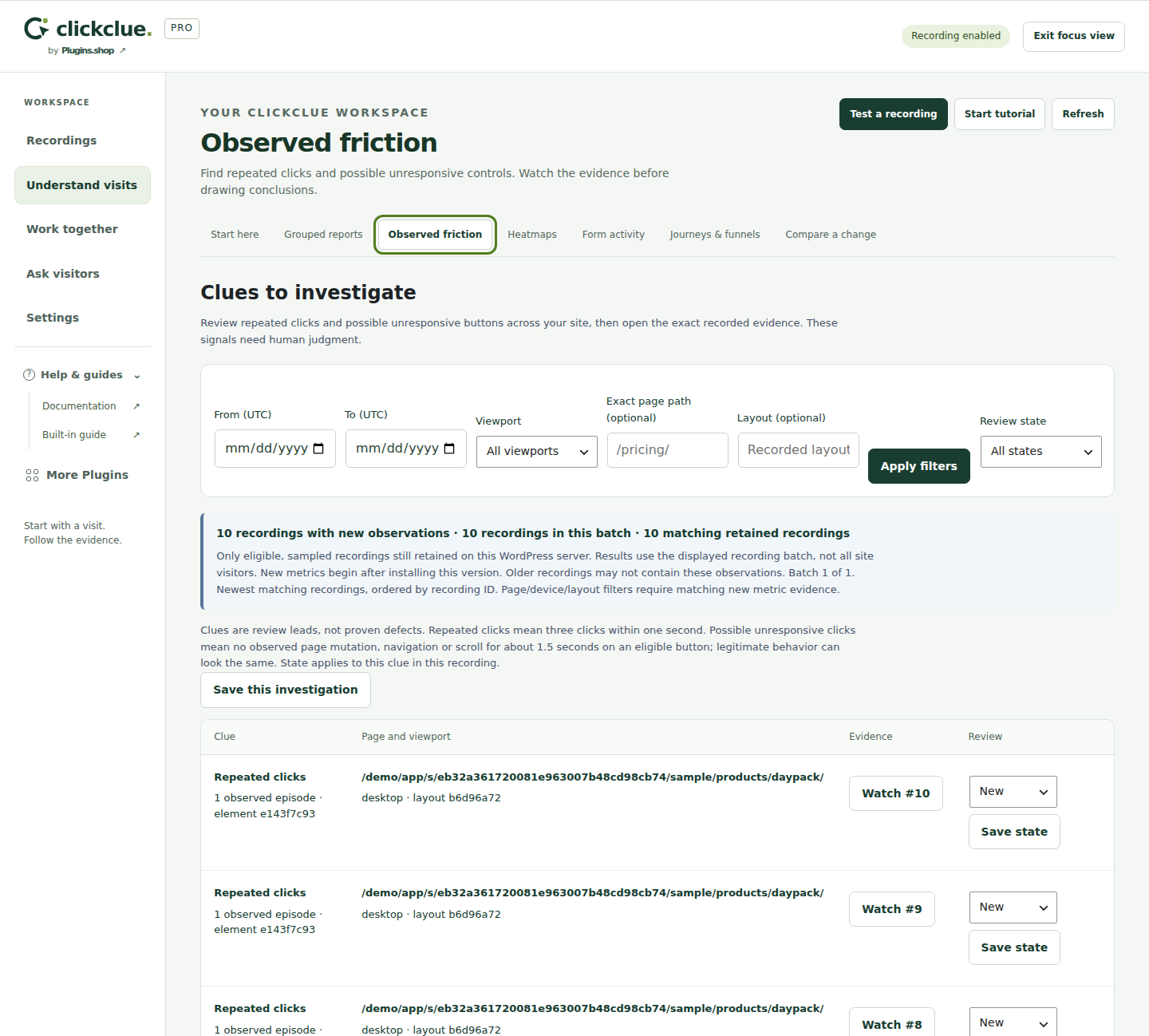
This workspace displays a batch of 10 matching retained recordings. That scope matters before you move from an individual clue to a wider investigation.
The screenshot is the observations workspace, not a funnel chart. It shows where to begin: inspect a recorded moment, record its context and decide which route or period to review next.
Keep the population stated in your finding. The displayed counts do not represent all website visitors, a conversion uplift or an experiment.
Write the question before editing: can visitors follow the intended route from a service page to its enquiry form? Define the relevant page paths and the observation you want to inspect. Save the investigation so the question and filters are explicit.
For a later comparison, choose non-overlapping UTC periods and check whether consent, sampling, retention, devices or layouts changed. Review recordings from both periods. Use whole-range reports when you need all eligible retained recordings in a period; read any partial-result notice.
A useful finding might be that a particular route appeared more often in the recorded sample and merits another check. If capture changed or the retained sample is too small, keep the result inconclusive. Do not describe a descriptive comparison as a controlled A/B test.
Journeys follow page paths within a retained recording. They do not identify the same person across separate visits or devices.
An observed step is not a sale or a causal attribution result. Integration-reported completions also need the appropriate setup and do not independently establish payment, delivery or a business outcome.
Deleted and expired recordings no longer contribute to the retained evidence. Reports cannot reconstruct observations that were never captured. Review the dates, retention and coverage before comparing totals.