
CLICKCLUE PRO · FORM ACTIVITY
Find the steps worth checking in your WordPress forms.
A visitor focuses a field, tries to submit and then leaves the page. ClickClue Pro helps you inspect the recorded sequence and check the form yourself, without collecting what the visitor entered.
Form observations require Pro. Free already includes replay, bookmarks and notes for reviewing an individual visit.
READ COUNTS WITH THEIR CONTEXT
A submit observation is one piece of evidence.
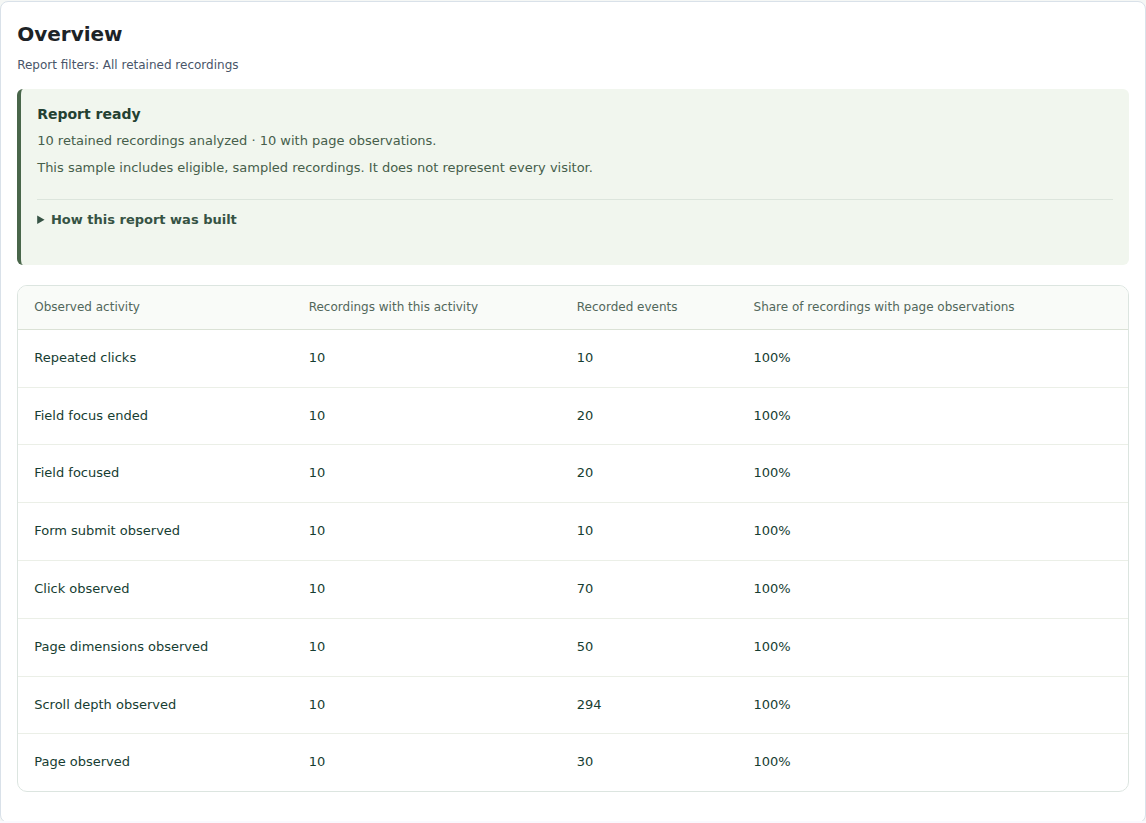
This example report contains 10 retained recordings, with 20 field-focus events and 10 submit observations. Events and recordings are different counts: one recording can contain several events.
The report does not show ten delivered enquiries. A submit attempt, an integration-reported completion and a message arriving in an inbox are different things. Check the relevant system when delivery is the question.
The screenshot shows a grouped overview. The form activity view provides the structural field detail used for a closer review.
Know what each observation can tell you.
| Observation | Useful next check | Keep this distinction |
|---|---|---|
| A field received focus | Check that the field and its instructions are easy to use. | Focus is not proof of typing; focus duration is not typing duration. |
| A validation signal appeared | Repeat the condition with synthetic details and locate the feedback. | The signal does not identify everything that went wrong. |
| A submit attempt was observed | Check the visible response and the form’s completion handling. | An attempt does not prove delivery, payment or another business outcome. |
| No submit was observed | Inspect navigation, coverage and custom form behaviour. | This is not a confirmed abandonment count. |
On a narrow screen, scroll the table sideways to compare every column.
Try a mobile form investigation.
On a test copy of your site, use fictional details in a signed-out mobile visit. First trigger a validation message deliberately. Then complete the required fields and follow the visible response. Review both recordings and reproduce any unclear behaviour directly.
If an error appears above the current viewport, the visitor may never see it. That is a concrete issue to check in the form’s layout. If no response is visible, investigate the form and its logs before calling it a failed submission.
In Pro, select the corresponding page, device and layout. Fields are described by structural positions, such as Form 1 · field 2, rather than entered values. After a form redesign, review its new layout separately.
Work through the mobile form and off-screen feedback example.
Questions about form analytics.
Which form plugin does this support?
Test the forms, AJAX behaviour and custom validation on your own theme. This page does not certify a named form plugin or every integration. The operational guide explains what the observations capture.
Can I read the answers a visitor entered?
No. These form observations use structural positions and signals, not entered field values. Ordinary page text outside fields can still contain personal information, so review masking and exclusions before recording.
What does ‘No submit observed’ mean?
It counts focused fields in recordings inactive for at least five minutes without an observed same-form submit. Missing signals, navigation and custom form behaviour can affect the count.